

Familiar Business Central-Style Experience
Reduce the learning gap with screens and document flows designed to feel familiar to Business Central users.
A custom Business Central-style portal that gives operational users a familiar, focused interface for selected masters, sales, purchasing and other day-to-day transactions—while the approved data synchronizes with Microsoft Dynamics 365 Business Central.
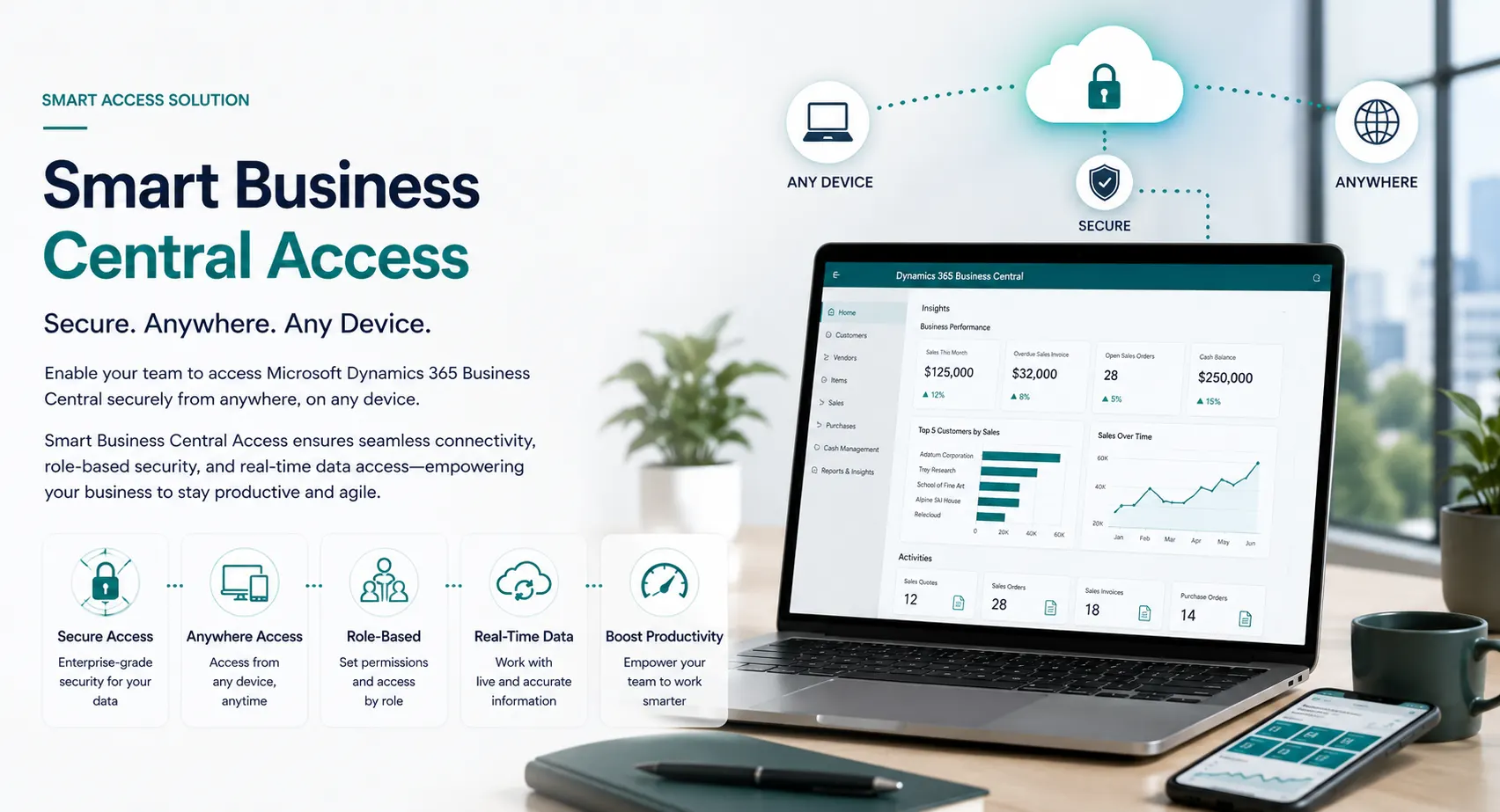
Smart Business Central Access is a Leaforge-developed user portal created for organizations that want operational teams to work in a simpler interface without exposing every Business Central page and function.
The portal follows familiar Business Central screen patterns and can be configured with the masters, documents, fields and actions each role needs. Users work in the portal, and the approved information is synchronized with Business Central so the ERP remains connected to the operational process.
Instead of asking every operational user to navigate the complete Business Central client, give each team a focused workspace for the tasks they actually perform.
Reduce the learning gap with screens and document flows designed to feel familiar to Business Central users.
Control which menus, pages, fields, masters, documents and actions are available to different user groups.
Synchronize approved master and transaction data so operational users and the ERP work from a connected process.
Reduce unnecessary direct use of the full Business Central client and assess the most appropriate licensed access model for each role.
Keep users focused on the transactions they own instead of exposing a large ERP navigation structure.
Add or adjust fields, validations, pages and workflows around the operating requirements agreed for your business.
The portal scope can be configured around your business. Typical examples include the following areas.
Create or maintain approved customer information through a simplified portal screen.
Capture supplier information and synchronize approved records with Business Central.
Expose only the master-data fields and actions your operational users are responsible for.
Allow sales users to create and work with selected sales documents through a familiar document interface.
Give purchasing users a focused way to create and maintain approved procurement documents.
Extend the portal with the additional document types and processes included in the agreed solution scope.
Present relevant approval actions and transaction status without exposing unrelated ERP functionality.
Show users the lists, counts and actions that matter to their responsibilities.
Apply the business rules needed before information is synchronized into the connected ERP process.
Smart Business Central Access separates the user experience from the full ERP client while keeping Business Central connected as the core business system.
The user signs in to the Smart Business Central Access portal.
The portal shows only the pages, fields and actions assigned to that user’s role.
The user works with the permitted masters, documents or transactions in the custom interface.
Configured integration rules exchange the approved information with Business Central.
Authorized ERP users can continue posting, finance, inventory, reporting and other processes in Business Central as designed.
The goal is not to give users another completely different application to learn. The portal is designed around a Business Central-style experience so common list pages, cards, document layouts and actions feel familiar.
At the same time, you decide how much functionality each group receives. A sales user can be given sales and customer functions, a purchase user can work with purchasing and vendor functions, and another team can receive only the operational pages relevant to its work.
Customers • Quotes • Sales Orders • Order Status • Approved related masters
Vendors • Purchase Quotes • Purchase Orders • Order Status • Approved related masters
Selected masters • Selected documents • Status views • Approvals • Role-specific processes
Smart Access is designed to work as a connected user interface—not as a disconnected side system.
Exchange the approved customer, vendor, item and other master data required by the configured process.
Move approved sales, purchase and other transaction data between the portal and Business Central according to the agreed design.
Apply required field, business-rule and permission checks before data enters the connected ERP process.
Design the integration so users and administrators can identify transactions that need review or correction.
Smart Business Central Access can reduce unnecessary direct use of the full Business Central client and can be part of a more cost-conscious access strategy. However, Microsoft currently states that indirect access through a custom website, API or pooled connection does not automatically reduce Dynamics 365 license requirements for internal users.
For that reason, Leaforge should assess the portal scope and the Microsoft licensing model together. Any statement about license savings should be based on the customer’s actual users, devices, transactions and current Microsoft licensing terms.
A custom portal is valuable only when the user experience, business rules and ERP integration are designed as one solution.
Understand what the portal is, how it connects with Business Central and how user access should be planned.
Smart Business Central Access is a custom portal developed by Leaforge for businesses that want selected users to work through a focused Business Central-style interface. The portal can expose approved masters, documents and day-to-day processes while synchronizing the required data with Microsoft Dynamics 365 Business Central.
No. It is a Leaforge-developed custom user interface. It is designed to feel familiar to Business Central users, while giving each organization control over which pages, fields, masters, documents and actions are available in the portal.
The exact scope is configurable. Typical examples can include customer, vendor and item masters; sales quotes and orders; purchase quotes and orders; selected inventory or operational documents; approvals; status views; and other business processes agreed during solution design.
Yes. The portal is designed to integrate with Business Central so approved master and transaction data can be exchanged with the ERP. The exact synchronization direction, validation rules, timing and exception handling are configured for the customer environment.
Yes. The portal can be configured around roles so users see only the relevant menus, pages, fields and actions required for their responsibilities. Business Central and portal security still need to be designed together for the complete solution.
It can help organizations reduce unnecessary direct use of the full Business Central client and design a more cost-conscious access model. However, Microsoft licensing rules still apply to indirect access, so any license-saving estimate must be validated against the customer’s exact users, devices and transactions before it is presented as a confirmed saving.
No. A custom portal does not automatically allow multiple internal users to access Business Central data or transactions under one named license. Microsoft states that indirect access through a website, API or pooled connection can still require appropriate Dynamics 365 licensing. We therefore validate the licensing model separately from the portal design.
Yes. Leaforge can configure or extend the portal around the masters, documents, fields, validations and user roles your teams need, while keeping Business Central as the connected ERP system of record.
The portal is designed as a browser-based user experience and can be adapted for the operational devices and screen sizes included in the agreed project scope.
Tell us which masters, documents and transactions each user group needs. Leaforge can show how Smart Business Central Access can be configured around your roles, integrated with Business Central and evaluated against the appropriate Microsoft licensing model.