

SALES & CUSTOMER MANAGEMENT
Sales & Customer Management in Business Central
Connect customers, contacts, opportunities, pricing, quotes, sales orders, availability, fulfillment, invoices, returns and reporting in one Business Central sales and relationship-management process.
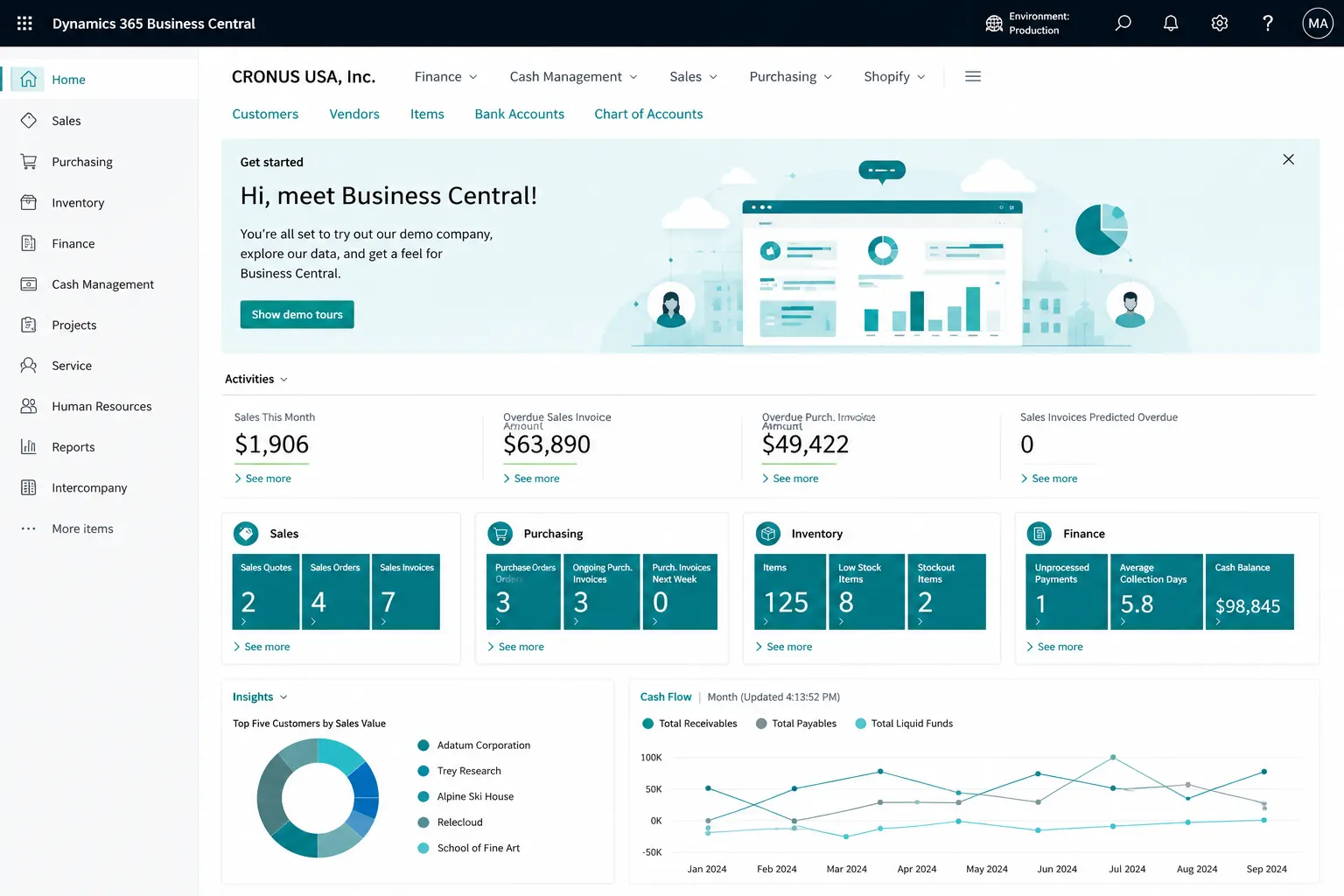
PROCESS & FIT
Build a Connected Lead-to-Cash and Quote-to-Cash Process
Use Business Central to manage customer and contact information, opportunities, quotes, pricing, sales orders, availability, fulfillment, invoicing and returns while defining where Dynamics 365 Sales, eCommerce, CPQ or other customer-facing systems should integrate.
- Customers, contacts & opportunities
- Quotes, orders, fulfillment & invoicing
- Pricing, availability, returns & reporting
Sales & Customer Management Challenges Business Central Can Help You Address
Disconnected customer data, inconsistent pricing and manual fulfillment decisions can make quote-to-cash slower and harder to control. These are common signs that the process needs a stronger ERP foundation.
Quotes and orders require manual re-entry
Prices, discounts and commercial terms are applied inconsistently
Availability and delivery dates are checked manually
Partial shipments and invoices are difficult to track
Returns, credits and customer balances are disconnected
Sales, inventory and finance do not share one transaction trail
CRM, eCommerce and ERP ownership boundaries are unclear
Manage Customers, Contacts and Sales Relationships
Business Central includes relationship-management capabilities that can connect customer master data and sales activity to the ERP transaction process.
Customer Master Management
Maintain selling, billing, shipping, currency, payment, credit and posting information for customers.
Contacts & Contact Companies
Maintain people and company contacts and connect qualified contacts to customer records when needed.
Salespersons
Assign sales responsibility and use salesperson codes for ownership, analysis and reporting.
Opportunities & Sales Cycles
Track opportunities through defined sales-cycle stages and link opportunities to contacts and salespeople.
Quotes from Opportunities
Create sales quotes from opportunities and convert accepted quotes into sales orders.
Interactions
Record relevant customer and contact interactions where relationship-management processes require them.
Segments & Campaigns
Group contacts for targeted activities and connect campaign-driven pricing or relationship activity where appropriate.
Credit, Payment & Shipping Setup
Define customer credit limits, payment terms, payment methods, shipment methods and related controls.
Control Sales Pricing, Discounts and Customer Terms
Configure commercial rules so users can apply approved pricing and discount structures consistently on sales documents.
Sales Price Lists
Maintain sales pricing rules for items, resources and services using defined price lists.
Customer & Customer-Group Pricing
Apply agreed prices for individual customers, customer groups or other supported pricing criteria.
Quantity & Date-Based Pricing
Use minimum quantities, validity periods and units of measure as part of pricing rules.
Sales Line Discounts
Apply line discount rules based on customer, item, quantity, unit of measure and other supported criteria.
Invoice Discounts
Calculate invoice-level discounts when customer and document conditions meet the configured rules.
Campaign Pricing
Use campaign-related pricing and discounts where the organization uses Business Central relationship-management features.
Multi-Currency Sales
Process customer transactions in supported foreign currencies using configured exchange rates and finance controls.
Dimensions on Sales
Capture department, branch, project, brand or other reporting dimensions as part of sales transactions.
Control the Sales Document Lifecycle
Move from customer demand to approved sales commitments using standard Business Central sales documents and controls.
Sales Quotes
Create customer offers with items, services, quantities, prices, discounts, shipping and payment terms.
Blanket Sales Orders
Support longer-term sales agreements and create individual orders as agreed quantities are released.
Sales Orders
Manage the core order process with customer, delivery, availability, fulfillment and invoicing information.
Approval Workflows
Introduce approvals where sales documents or commercial exceptions require additional control.
Sales Prepayments
Invoice agreed deposits or advance payments before final shipment or invoicing where the process requires it.
Recurring Sales Lines
Reuse frequently sold items or services on sales documents for repeat customer requirements.
Items, Resources & G/L Lines
Sell inventory items, services/resources and approved G/L charges within the sales document process.
Document Attachments
Keep relevant supporting files and transaction documentation with the Business Central record where appropriate.
Connect Customer Commitments to Inventory and Delivery
Give sales and operations teams a common view of availability, reservations, promised dates and fulfillment status.
Item Availability
Review inventory together with expected supply and demand using Business Central availability views.
Reservations
Reserve inventory or expected supply for selected sales demand when the process requires tighter allocation control.
Order Promising
Use available-to-promise or capable-to-promise calculations to support more realistic shipment and delivery commitments.
Multiple Locations
Process sales from configured locations and evaluate inventory availability by location.
Partial Shipments
Ship available quantities while keeping remaining quantities open for later fulfillment.
Partial Invoicing
Invoice shipped or agreed quantities in stages when the order is fulfilled over multiple transactions.
Shipment Methods & Shipping Agents
Capture delivery methods and shipping information as part of the customer fulfillment process.
Drop Shipment & Special Fulfillment
Support selected scenarios where customer demand is linked directly to external supply or other fulfillment methods.
Connect Sales Execution to Receivables and Transaction History
Complete the sales process with invoicing, customer ledger visibility, returns, credits and traceable posted documents.
Sales Invoices
Post customer invoices directly or invoice fulfilled sales orders according to the agreed process.
Customer Ledger Entries
Connect sales posting to customer balances, due dates, payments and receivables follow-up.
Payment Application
Apply customer payments against open invoices and maintain visibility of outstanding balances.
Sales Return Orders
Manage goods returned by customers with a controlled return-document process.
Sales Credit Memos
Correct or credit customer transactions with traceable posted credit documents.
Posted Sales Documents
Review posted shipments, invoices, returns and credit memos as part of the transaction audit trail.
Customer Statements & Collections
Use receivables information to support customer statements, overdue follow-up and collection processes.
Tax, VAT & Localization
Apply applicable sales tax, VAT, invoicing and localization rules based on the Business Central country/region environment and configured extensions.
Connect Sales Users to Microsoft 365, CRM, Analytics and External Channels
Extend the ERP sales process with supported Microsoft integrations, reporting and connected customer-facing platforms.
Outlook Integration
Use supported Business Central experiences in Outlook to work with customer and transaction information in the context of email.
Microsoft Teams
Share and review Business Central records in supported Teams experiences while respecting user permissions.
Sales Analysis & Customer Reporting
Analyze customer sales, item sales, margins, quantities and transaction history using standard reporting and analysis tools.
Analysis Mode & Excel
Explore list data interactively and use Excel where users need additional analysis or working views.
Power BI
Extend sales reporting with Power BI dashboards and analytical models where the reporting design requires them.
Dynamics 365 Sales Integration
Connect Business Central backend processing with Dynamics 365 Sales when advanced CRM and customer-engagement processes are required.
eCommerce, APIs & External Sales Channels
Integrate supported commerce platforms, portals or other sales systems using connectors, APIs or designed integrations.
Audit & Transaction Traceability
Trace source sales documents through posting, customer ledger entries and related inventory and financial transactions.
Business Central Sales + Relationship Management
Business Central provides customer, contact, opportunity, interaction and quote-to-cash capabilities for ERP-focused sales processes. Organizations that require advanced marketing automation, sophisticated pipeline management, complex CPQ/configuration, enterprise customer engagement or omnichannel commerce can extend the solution with Dynamics 365 Sales, Power Platform, eCommerce platforms or other integrated applications.
Important: Exact sales, tax, e-invoicing, Microsoft 365, CRM and commerce capabilities can vary by licensing, country/region, configuration, enabled Microsoft features and extensions.
What Better Sales Process Control Can Look Like
The objective is not simply to create sales documents faster. It is to connect customer commitments, inventory, fulfillment, billing and finance with clearer ownership and fewer manual handoffs.
One Customer & Contact Foundation
Reduce duplicated customer and contact information across disconnected sales tools.
More Consistent Pricing
Apply agreed customer pricing and discount rules more consistently during order entry.
Clearer Availability & Promising
Give users better visibility of stock, supply and expected delivery dates.
Controlled Fulfillment Status
Track ordered, shipped and invoiced quantities through the sales lifecycle.
Better Return & Credit Traceability
Connect return and credit activity to customer, inventory and financial records.
Connected Customer Balances
Give sales and finance teams a common view of receivables and outstanding customer exposure.
Stronger Transaction History
Follow quotes, orders, shipments, invoices and returns through one ERP transaction chain.
More Useful Sales Analysis
Analyze customer, item, salesperson and commercial performance using shared ERP data.
Sales & Customer Management Assessment
Where Business Central Sales Can Fit Well
Customer and contact management • Opportunities and salespeople • Customer pricing and discounts • Quotes and orders • Blanket orders • Prepayments • Availability and reservations • Order promising • Shipments and invoices • Returns and credits • Customer balances • Microsoft 365 productivity.
Requirements to Validate Before Design
Advanced CRM and marketing automation • Complex CPQ/product configuration • eCommerce/POS/marketplace integration • Sales tax/e-invoicing localization • High-volume order ingestion • sophisticated commissions • route sales/field mobility • customer portals • EDI • subscription or recurring-billing requirements.
Why Leaforge for Business Central Sales & Customer Management
Leaforge helps define the right Business Central sales model around your customer data, commercial rules, availability, fulfillment, billing and integration landscape.
Frequently Asked Questions
These answers cover common Business Central Sales & Customer Management questions. Exact behavior can depend on licensing, configuration, localization, enabled Microsoft features and integrations.
Can Business Central manage the full sales order process?
Yes. Business Central supports sales quotes, blanket sales orders, sales orders, shipments, invoices, returns and credit memos. The exact process depends on how your organization handles approvals, inventory, fulfillment, billing and exceptions.
Does Business Central include customer and contact management?
Yes. Business Central includes customer and contact records and can support relationship-management activities such as salespeople, opportunities, interactions, segments and campaigns for ERP-focused sales processes.
Can Business Central manage sales opportunities?
Yes. Opportunities can be assigned to salespeople and contacts and moved through sales-cycle stages. Quotes can be created from opportunities and converted into sales orders when appropriate.
Can Business Central handle customer-specific prices and discounts?
Yes. Price lists, customer or customer-group pricing, line discounts and invoice discounts can be configured using criteria such as customer, item, quantity, unit of measure and validity dates.
Can Business Central support blanket and recurring sales?
Yes. Blanket sales orders can support longer-term customer agreements, and recurring sales lines can help populate frequently repeated items or services on sales documents.
Can customers be asked for a prepayment before shipment?
Yes. Sales prepayment functionality can be used when part or all of an order must be invoiced and paid before the final sales invoice or shipment process is completed, subject to the required setup and localization.
Can Business Central show item availability and promise delivery dates?
Yes. Availability, reservation and order-promising functionality can help users evaluate supply and demand and calculate available-to-promise or capable-to-promise dates when the planning setup supports those calculations.
Can Business Central handle partial shipments and invoices?
Yes. Sales orders can be processed in stages so quantities can be shipped and invoiced partially when business processes require phased fulfillment.
How are sales returns and credits handled?
Sales return orders and sales credit memos can support return, correction and credit scenarios. The process should define whether goods are received back, replaced, restocked or financially credited.
Does Business Central replace a full CRM platform?
Not in every scenario. Business Central includes contacts, opportunities, interactions and ERP sales processes, while advanced marketing automation, sophisticated pipeline management, complex customer engagement or enterprise CPQ may be better handled with Dynamics 365 Sales, Power Platform or another integrated solution.
Can Business Central integrate with Dynamics 365 Sales, Outlook and Teams?
Business Central can integrate with supported Microsoft applications including Dynamics 365 Sales, Outlook and Teams. The exact experience depends on licensing, configuration, security and the integration design.
Can Business Central integrate with eCommerce or external sales platforms?
Yes, potentially. Integration can use supported connectors, APIs, web services or custom integration patterns. The design should define data ownership, synchronization frequency, order flow, pricing, inventory and exception handling.
What sales data should be prepared for implementation?
Typical data preparation can include customers, contacts, salespeople, items, units of measure, price lists, discounts, shipping and payment terms, open sales documents and the agreed transaction history or opening balances required for go-live.
Build a More Connected Business Central Sales Process
Tell us how you manage customers, opportunities, pricing, quoting, order promising, fulfillment, invoicing and returns today. We can help define the right Business Central, CRM and commerce operating model.