

SALES & CUSTOMER MANAGEMENT
Sales & Customer Management in Business Central
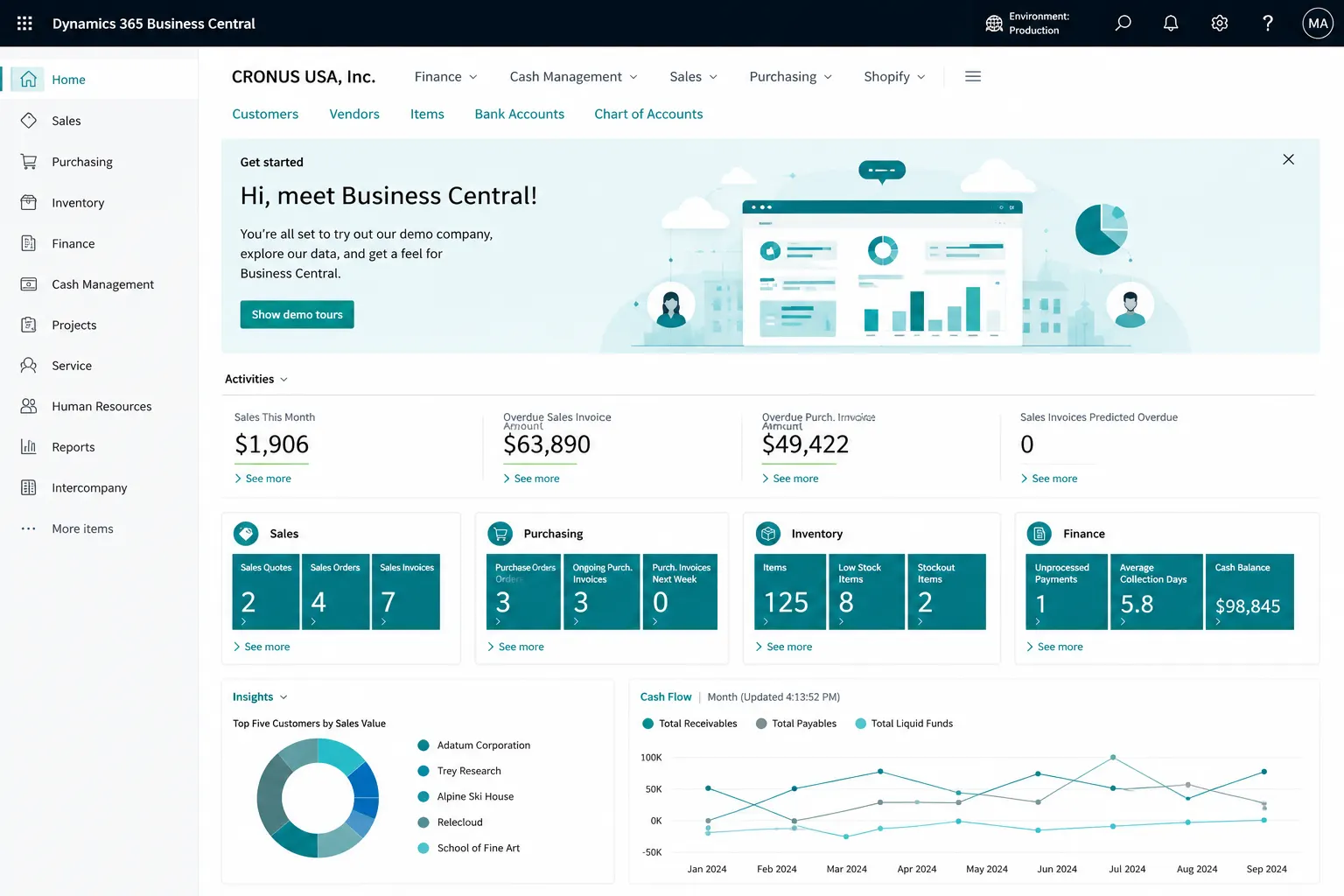
Connect customers, quotes, pricing, item availability, sales orders, shipments, invoices and returns in one Business Central quote-to-cash process.
PROCESS & FIT
Build a Controlled Quote-to-Cash Process
Use Business Central to manage the ERP sales transaction from customer/contact through quote, order, shipment, invoice and return while defining where CRM, CPQ, eCommerce or field-sales systems should integrate.
- Customers & contacts
- Sales quotes/orders
- Customer/customer-group prices and discounts
Common Quote-to-Cash Challenges
Disconnected processes, manual workarounds and inconsistent data can make day-to-day control harder than it needs to be. These are common signs that the current process deserves a closer look.
Quotes/orders require re-entry
Pricing/discount rules are inconsistent
Availability is checked manually
Returns/credits are disconnected
Sales and finance do not reconcile cleanly
CRM activity and ERP transaction ownership are unclear
What Business Central Sales Can Help You Manage
Business Central can bring these activities into a more connected working environment. The exact configuration should reflect your processes, users, controls, reporting and integration needs.
Customers & contacts
Sales quotes/orders
Customer/customer-group prices and discounts
Availability/order promising inputs
Shipments/invoices
Sales returns/credit memos
Outlook/Teams productivity
Customer balances and sales reporting
Business Central Sales Is ERP Sales, Not a Full CRM/CPQ Platform
Advanced lead scoring, marketing automation, pipeline forecasting, complex CPQ/configuration, omnichannel commerce or field-sales mobility may require Dynamics 365 Sales, Power Platform or another integrated solution.
What Better Sales Process Control Can Look Like
The goal is clearer day-to-day control, more consistent information and better visibility of the transactions and exceptions that matter to your team.
Quote/order status
Pricing governance
Availability view
Shipment/invoice status
Returns/credits
Customer balance
Sales document history
Reporting
Quote-to-Cash Assessment
Where Business Central Sales Can Fit Well
Customer/contact model • Pricing/discounts • Quote/order approvals • Availability/reservations • Shipment/invoice process • Returns • CRM/eCommerce/POS integrations • Credit/payment rules.
CRM, Commerce and Sales Requirements to Review
Advanced lead scoring, marketing automation, pipeline forecasting, complex CPQ/configuration, omnichannel commerce or field-sales mobility may require Dynamics 365 Sales, Power Platform or another integrated solution.
Why Leaforge for Business Central Sales
Leaforge helps you connect customers, quotes, pricing, availability, sales orders, shipments, invoices and returns while defining where CRM, commerce or other sales tools should integrate.
Frequently Asked Questions
Here are answers to common questions about Business Central sales and customer management. The right approach can vary depending on your processes, data, licensing and integration requirements.
Can Business Central manage quotes and sales orders?
Yes. Business Central supports sales quotes, orders, shipments and invoices as part of the quote-to-cash process.
Can it handle customer-specific prices?
Yes. Sales price lists and discounts can be configured for individual customers or customer groups, depending on the pricing rules your business uses.
Can it show item availability?
Yes. Business Central provides inventory availability information that can consider on-hand stock together with expected supply and demand. The exact view depends on your item, location and planning setup.
How are returns handled?
Sales return orders and sales credit memos can be used to manage return and credit scenarios. The process should define how goods are received back, restocked or replaced and how the customer account is adjusted.
Does it replace CRM?
Not in every case. Business Central manages customers and ERP sales transactions, but advanced pipeline management, lead scoring, marketing automation or complex CRM processes may be better handled in Dynamics 365 Sales or another CRM.
Can it integrate with Outlook/Teams?
Yes. Supported Microsoft 365 integrations can bring relevant Business Central customer and transaction information into Outlook and Teams, subject to user permissions and licensing.
Can it integrate with eCommerce?
Yes, potentially. The integration approach depends on the commerce platform, available connectors or APIs, data ownership, order volume, inventory synchronization and exception handling.
What sales data should be migrated?
Typical migration includes customers, contacts where required, items, price lists/discounts, open sales documents and the agreed opening balances or history needed for go-live.
Create a More Connected Business Central Sales Process
Tell us how you quote, price, promise, ship, invoice and handle returns today. We can help define the right Business Central and CRM/commerce integration model.