

Confirm Scope
Agree package boundaries, responsibilities, key users, data inputs, milestones and decision deadlines before the delivery route begins.
Launch a focused Business Central foundation in five weeks through a confirmed package scope, core configuration, agreed migration, user acceptance testing, role-based training, cutover and stabilization.
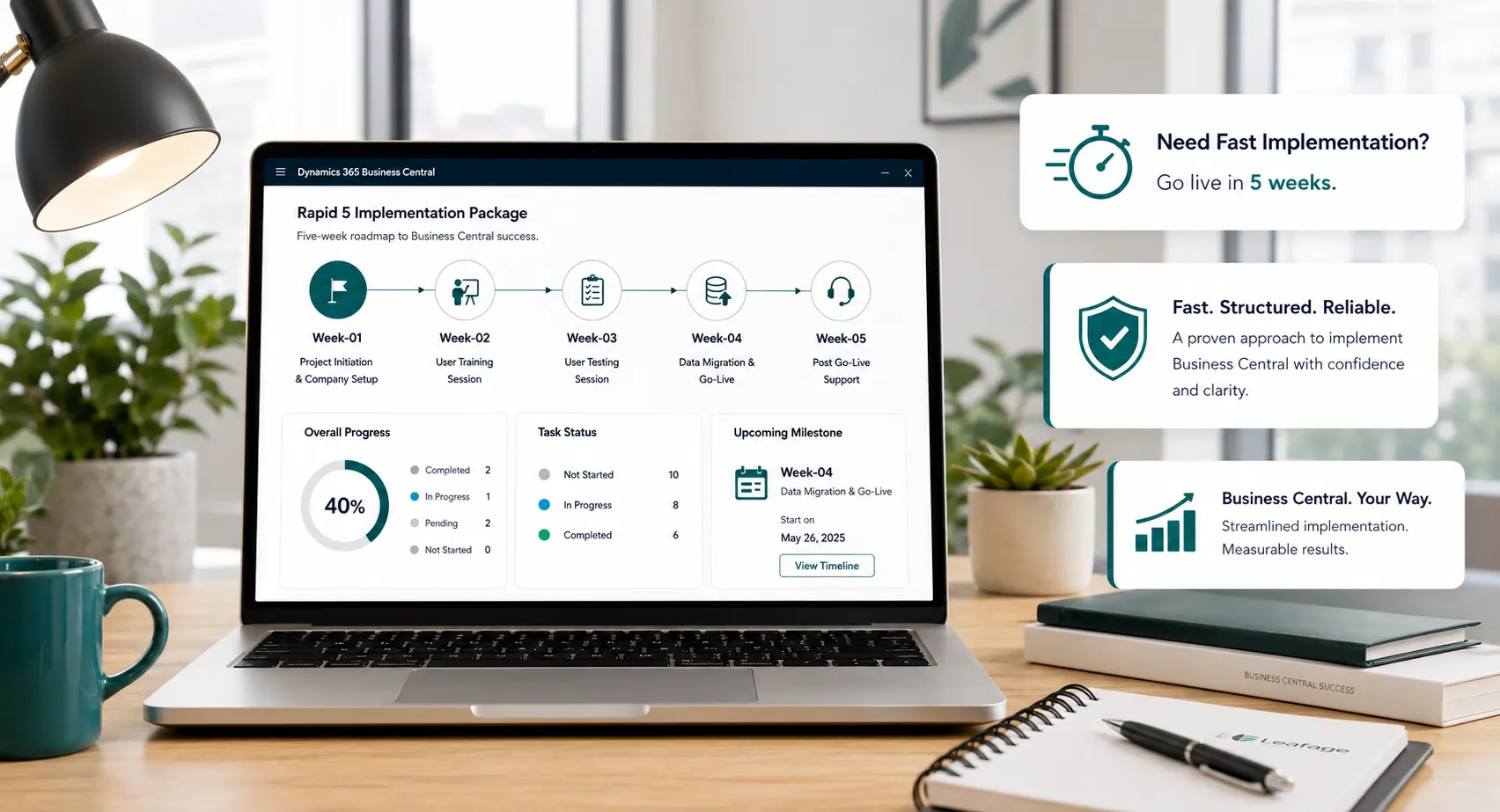
Rapid5 is a Leaforge fixed-scope implementation package for businesses whose priority go-live requirements can be handled mainly through standard Business Central. It combines core configuration, focused migration, testing, training, cutover and stabilization within a defined five-week delivery route.
A controlled five-week route built around four connected outcomes rather than a broad, open-ended ERP scope.
Agree package boundaries, responsibilities, key users, data inputs, milestones and decision deadlines before the delivery route begins.
Set up agreed finance, sales, purchasing, inventory, cash and fixed-asset processes using a standard-first Business Central approach.
Load agreed data, complete key-user UAT, deliver role-based training and resolve readiness issues before cutover.
Complete cutover, validate priority live transactions, support users and stabilize the environment within the package support window.
Rapid5 is a five-week, fixed-scope Leaforge implementation package for organizations with focused requirements that can be delivered mainly through standard Business Central configuration. Package fit is confirmed before the delivery schedule begins.
The package includes agreed core configuration, focused master-data and opening-balance migration, testing/UAT, role-based training, cutover preparation and package-defined stabilization. Requirements outside the confirmed scope are deferred, separately scoped or moved to Rapid8 or Full Implementation.
Confirmed package boundaries, customer responsibilities, milestones, decision deadlines and escalation points before Week 1
Standard Business Central configuration across agreed core processes, avoiding unnecessary custom development during rapid go-live
Prepared data, key-user UAT, role-based training, cutover preparation and package-defined stabilization support
Confirm package scope, responsibilities, key users, data readiness, decision points and delivery milestones. Prepare the Business Central environment, company setup and detailed week-by-week action plan.
Configure agreed company, chart of accounts, posting, dimensions, banking, receivables, payables, cash and fixed-asset foundations within the package scope.
Configure agreed customers, vendors, items, pricing and discounts, sales, purchasing, inventory transactions and standard document flows required for go-live.
Load and validate agreed master data and opening balances, complete key-user process testing/UAT, deliver role-based training and resolve go-live readiness issues.
Complete final agreed migration and cutover activities, begin live processing, validate priority transactions, support users and stabilize the new environment within the package support window.
The Rapid5 schedule assumes confirmed scope, prepared source data, access to key users and decision-makers, attendance at testing and training, timely approvals and no material change to the agreed go-live requirements.
Provide a project owner, finance and operational key users, and decision-makers who can respond within the package schedule.
Clean, own and validate the agreed master data and opening balances so migration activity can happen when scheduled.
Complete agreed user-acceptance scenarios, attend role-based training and confirm critical processes before cutover.
Protect the confirmed go-live scope and defer lower-priority enhancements if they would affect the five-week delivery route.
New requirements are assessed against the confirmed Rapid5 scope. If they cannot be accommodated without affecting the package route, they should be deferred, separately estimated or moved to Rapid8 or Full Implementation.
Rapid5 is a strong fit when your day-one requirements are standard-first, your data can be prepared quickly, key users are available and the business can protect a focused go-live scope for five weeks.
A good fit when the business needs connected finance, sales, purchasing and inventory but does not require a complex ERP transformation for the first go-live.
Finance, sales, purchasing, inventory, cash and fixed assets can operate mainly through standard Business Central configuration.
Master data and opening balances can be prepared and validated on schedule, while key users can attend configuration reviews, UAT, training and go-live activities.
The business can keep the agreed day-one scope stable and move lower-priority improvements into a later support or customization phase.
Choose Rapid8 when the implementation still fits a package-led approach but needs more reporting, permissions, UAT, migration preparation, user groups or adoption support. Choose Full Implementation when the project requires significant customization, integrations, process redesign, extensive migration, advanced manufacturing or warehouse requirements, or phased rollout.
Rapid5 focuses the initial project on eight core areas. Final configuration, reports, permissions and migration scope are confirmed during package assessment so the five-week route remains controlled.
The Rapid5 fee applies to the confirmed package boundaries. Microsoft licensing and any separately approved out-of-scope work remain outside the implementation fee unless explicitly included in the proposal.
One-time implementation fee
Rapid5 is designed for organizations with focused requirements, prepared data, available key users and a standard-first approach. The package keeps delivery controlled by separating day-one requirements from later enhancements.
Package boundaries, responsibilities and weekly outcomes are agreed before delivery begins.
The implementation fee applies to the agreed Rapid5 package boundaries; additional requirements are assessed separately.
The five-week structure prioritizes agreed day-one processes rather than loading the initial package with lower-priority enhancements.
UAT, role-based training, cutover and package-defined stabilization are part of the delivery route.

Rapid5 depends on disciplined scope and customer readiness. Leaforge keeps package boundaries, weekly outcomes, data, testing, user preparation and go-live activities aligned so speed does not replace implementation control.
Requirements that do not fit the five-week route are identified early and moved to Rapid8, Full Implementation, Support or Customization rather than allowed to destabilize the package.
Confirm that your process scope, data, users and go-live requirements genuinely fit Rapid5 before the five-week delivery route begins.
Each week has clear package activities and customer responsibilities so the project can move without open-ended discovery or uncontrolled scope growth.
The package scope and fee are agreed before delivery; additional requirements are identified and handled separately rather than absorbed into the five-week route.
Use standard Business Central capabilities for priority go-live processes and defer unnecessary complexity until the business has stabilized.
Key users validate agreed scenarios and receive training around the processes they will perform after go-live.
Use the package stabilization period to resolve early issues, then move future reporting, integrations, customization or additional capabilities into the appropriate follow-on service.
Rapid5 keeps the initial project focused on agreed core processes. After stabilization, additional capabilities can be prioritized without destabilizing the five-week go-live scope.
Extend management reporting, analysis, Power BI or role-specific information after the core system is stable.
Add workflow automation, apps and Microsoft ecosystem improvements where they support an agreed business requirement.
Scope upgrade-aware extensions or integrations separately when a requirement cannot be met appropriately through standard configuration.
Understand the five-week package scope, customer responsibilities, migration, UAT, training, licensing, scope changes and when Rapid8 or Full Implementation is the better route.
Rapid5 is a five-week, fixed-scope Leaforge implementation route designed for focused requirements that can be handled mainly through standard Business Central. The five-week schedule begins after package scope, responsibilities, data readiness and key-user availability are confirmed.
Yes, when the business fits the Rapid5 model. The route assumes confirmed scope, prepared data, available key users and decision-makers, timely UAT and training, prompt approvals and no material scope change during delivery.
Rapid5 typically covers core company and finance setup, cash and banking, payables, receivables, purchasing, sales, inventory, fixed assets, focused master-data/opening-balance migration, key-user UAT, role-based training, cutover, go-live and package-defined stabilization. Exact scope is confirmed before project start.
Your team should identify a project owner and key users, confirm the agreed go-live scope, prepare required company information and source data, reserve time for configuration reviews, UAT and training, and ensure decision-makers can respond within the five-week schedule.
Rapid5 is designed for a focused migration of agreed master data and opening balances. Large historical datasets, multiple legacy sources, complex cleansing or reconciliation requirements should be assessed separately and may require Rapid8 or Full Implementation.
Rapid5 is standard-first. A very small, clearly bounded requirement may be assessed, but significant AL development, complex integrations, advanced automation or process redesign are outside the normal Rapid5 package and should be moved to Rapid8, Customization or Full Implementation.
Key users validate agreed business scenarios during UAT, receive role-based training in the configured environment and confirm readiness before cutover. Week 5 covers final agreed migration/cutover activities, live validation, user support and package-defined stabilization.
New requirements are checked against the confirmed package scope. If they cannot be accommodated without affecting the five-week route, they should be deferred, separately estimated or moved to Rapid8 or Full Implementation.
Rapid5 is the more focused five-week route. Rapid8 remains package-led but provides more time for broader process configuration, reporting, permissions, migration preparation, UAT, user groups, training and adoption support.
Rapid5 covers Leaforge implementation services within the confirmed package scope. Microsoft Dynamics 365 Business Central licenses and third-party subscriptions are separate unless explicitly included in the commercial proposal.
Choose Full Implementation when the project requires significant customization, multiple or business-critical integrations, process redesign, extensive historical migration, advanced manufacturing or warehouse requirements, complex multi-company needs or phased rollout.
Review your day-one processes, data readiness, key-user availability, required reporting, integrations and scope with Leaforge before starting the five-week route.