

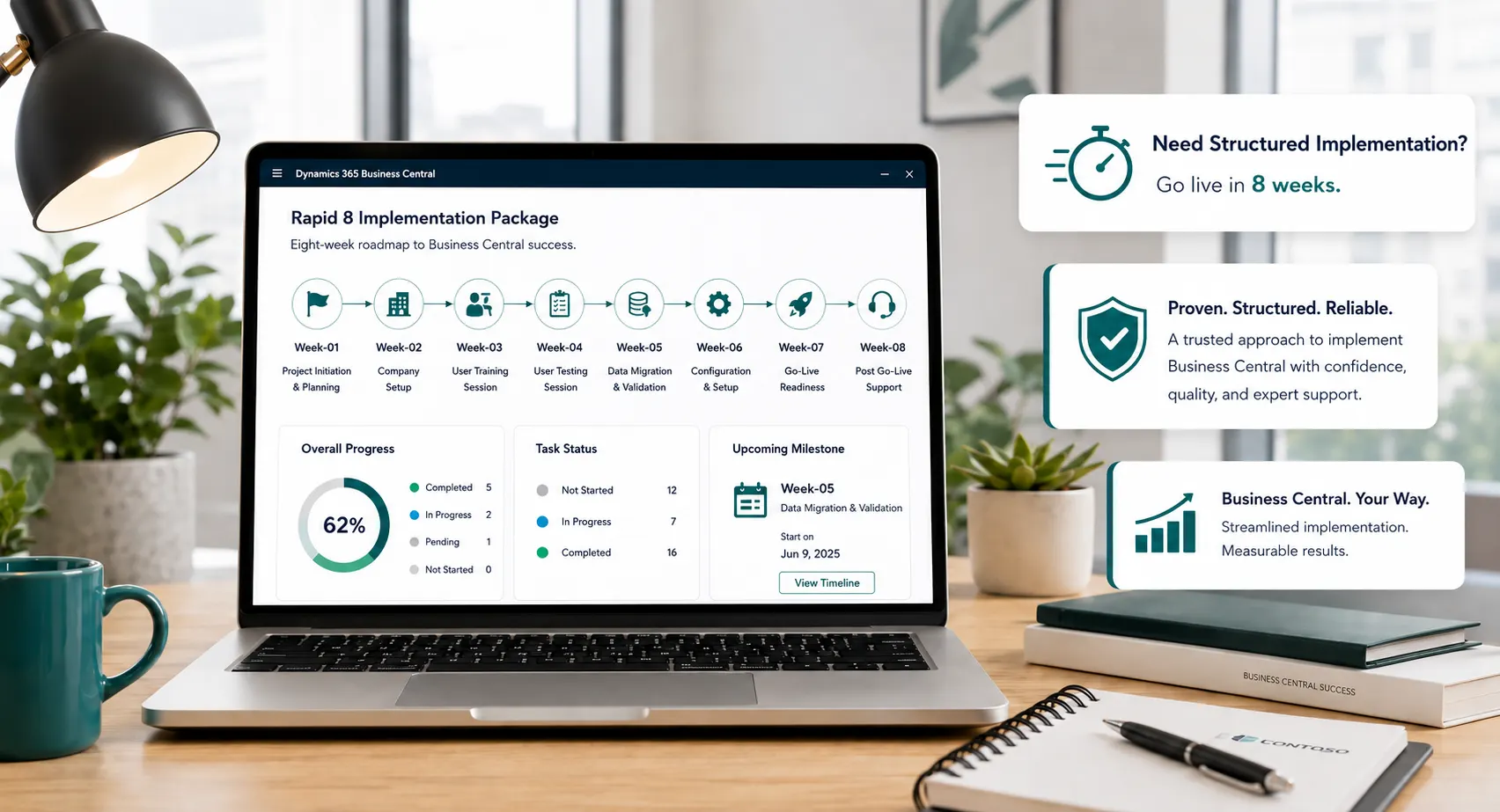
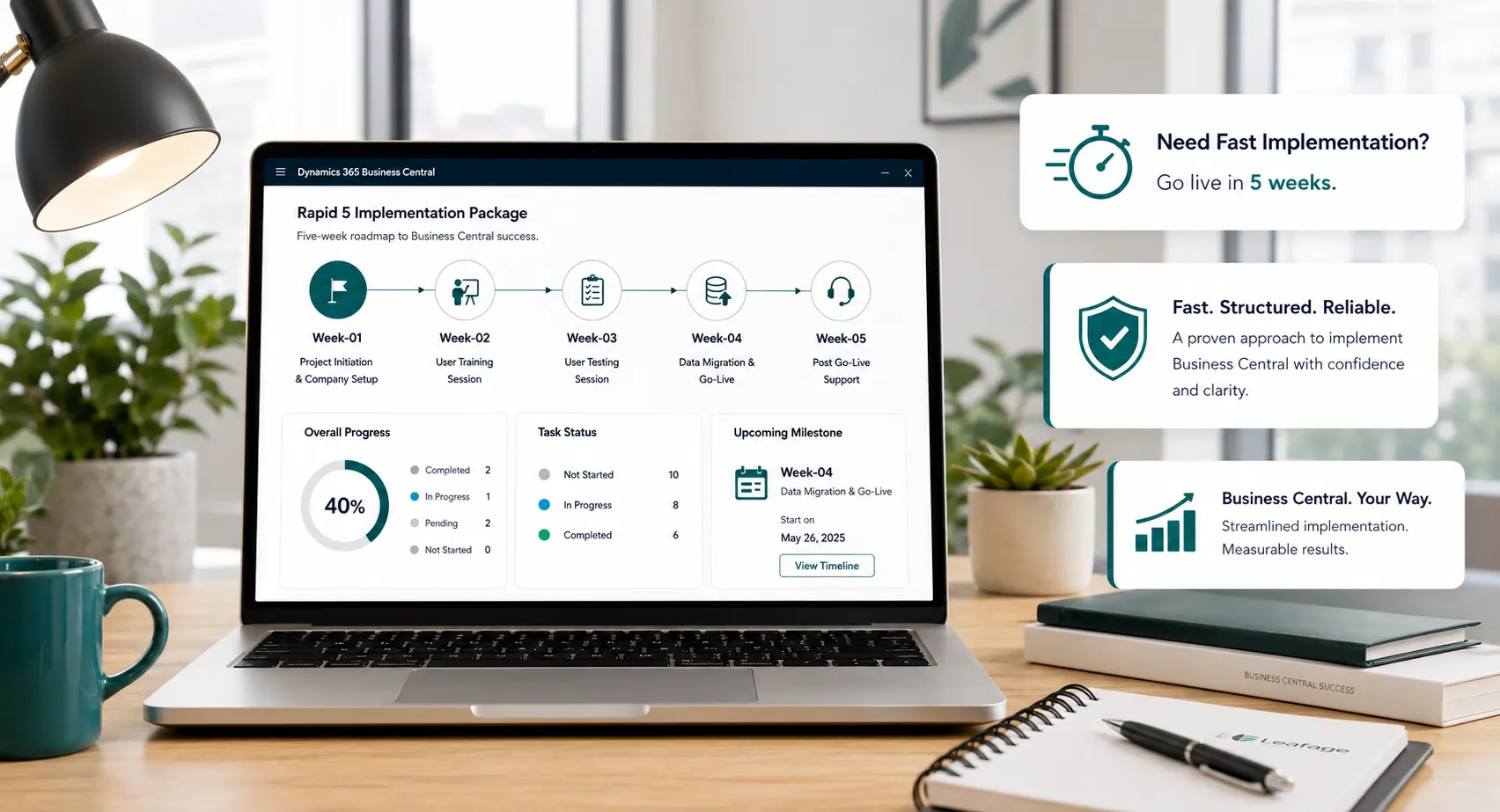
Leaforge Rapid5 & Rapid8

Choose a Clearly Scoped Rapid Route to Business Central

Leaforge Rapid5 and Rapid8 provide defined implementation routes for businesses that can work within a standard-first scope, prepare data and users on time, and make project decisions within a focused delivery schedule.

Business Central rapid implementation packages planning workspace
Rapid5 & Rapid8Two defined Leaforge delivery routes built around scope, readiness and timely decisions.
Implementation DisciplineMigration, testing, training, cutover and stabilization remain core package activities.
Why Rapid Works

Faster Delivery Through Defined Scope and Readiness

Rapid implementation works when scope, responsibilities and decisions are controlled. Leaforge packages combine agreed Business Central configuration, focused migration, testing, role-based training, go-live preparation and stabilization within a predefined delivery framework.

The approach is best suited to organizations that can adopt standard Business Central processes for the agreed scope, prepare data before migration activities, provide key users for validation and training, and make decisions without long approval delays.

  • Two Defined Delivery Routes: Rapid5 for a focused core implementation or Rapid8 for broader configuration, reporting, migration preparation and user adoption support.
  • Confirmed Scope & Responsibilities: Package boundaries, customer responsibilities, decision points and milestones are confirmed before the rapid schedule begins.
  • Complete Go-Live Workstream: Configuration, agreed migration, testing, training, cutover preparation and stabilization remain part of the confirmed package scope.
Rapid5 · 5 WeeksRapid8 · 8 WeeksStandard-FirstScope Controlled
Leaforge Rapid Business Central Implementation

Choose the Right Rapid Implementation Package

Choose based on process breadth, reporting and permission needs, migration effort, number of user groups, testing and training requirements—not simply the shortest timeline.

Leaforge Rapid5 Business Central implementation package5-Week Route
01

Leaforge Rapid5

A five-week route for focused requirements where core finance, sales, purchasing, inventory, cash and fixed-asset processes can be handled mainly through standard Business Central configuration.

  • Five-week defined delivery route
  • Core Business Central configuration
  • Focused master data and opening-balance migration
  • Core-user testing and role-based training
  • Go-live and stabilization support
Explore Rapid5
Leaforge Rapid8 Business Central implementation package8-Week Route
02

Leaforge Rapid8

An eight-week route for businesses that still fit a package-led implementation but need broader process configuration, reporting, permissions, migration preparation, UAT, training and adoption support.

  • Eight-week defined delivery route
  • Broader process configuration
  • Additional reporting and permissions
  • More migration preparation and UAT time
  • Extended training, adoption and stabilization
Explore Rapid8
Package Comparison

Rapid5 vs Rapid8: Choose by Scope, Not Only by Timeline

Compare process breadth, migration, reporting, testing, training and adoption requirements before selecting the package.

Implementation AreaRapid5Rapid8
Target delivery route5 weeks8 weeks
Process breadthFocused core processes and fewer exceptionsBroader process coverage and more department/user input
Financial managementCore finance configurationCore finance plus more time for broader process/reporting validation
Sales & purchasingStandard core configurationBroader configuration, permissions, approvals or process validation within package scope
InventoryStandard inventory requirementsBroader inventory/process validation within package boundaries
Data migrationFocused master data and opening balancesBroader agreed migration preparation, validation and reconciliation
ReportingEssential standard reporting setupMore reporting configuration and validation within package scope
Testing, UAT & trainingFocused key-user testing and trainingMore UAT, user groups, issue resolution and adoption support
StabilizationPackage-defined stabilization supportExtended package-defined stabilization support
Timeline condition: Rapid5 and Rapid8 target five- and eight-week delivery routes only when package scope is confirmed, data is prepared, key users and decision-makers are available, testing and training happen as scheduled, and there is no material scope change.
About the package names: Rapid5 and Rapid8 are Leaforge implementation packages for Microsoft Dynamics 365 Business Central. They are implementation delivery models—not Microsoft license plans or official Microsoft implementation products.
Readiness Checklist

Are You Ready for a Rapid Package?

  • Standard Business Central can meet most day-one requirements
  • Key users and decision-makers are available during the package schedule
  • Master data and opening balances can be prepared on time
  • Testing and training can be completed when scheduled
  • Business decisions can be approved quickly
  • Material customization or complex integrations are not required for go-live
  • Lower-priority enhancements can be deferred if needed
Request a Rapid Fit Assessment
Four Fit Signals

Rapid Works Best When You Have…

Standard-First RequirementsPrepared DataAvailable Key UsersTimely DecisionsControlled ScopeDeferrable Enhancements

Rapid is a fit when your team can actively support a focused implementation schedule—not simply because you want the earliest possible go-live date.

Clear Package Boundaries

What Fits a Rapid Package—and What Usually Needs Full Implementation

Rapid protects speed by keeping the go-live scope controlled. Requirements that create separate design, development or migration workstreams should be assessed outside the package.

Typical Rapid Deliverables

Inside the Confirmed Package Scope

  • Package scope and responsibility confirmation
  • Business Central environment and company setup
  • Agreed finance, sales, purchasing and inventory configuration
  • Package-defined master data and opening-balance migration
  • Permissions and standard reporting within scope
  • Testing/UAT and role-based training
  • Cutover preparation, go-live and stabilization
Usually Full Implementation

Requirements That Need Broader Discovery

  • Major custom development or material process redesign
  • Multiple, highly customized or business-critical integrations
  • Extensive historical migration or complex reconciliation
  • Complex multi-company, multi-country or phased rollout requirements
  • Advanced manufacturing, quality, scanning or warehouse automation
  • Material scope changes after package confirmation
Explore Full Implementation
Delivery Roadmap

A Defined Week-by-Week Route to Go-Live

Rapid does not skip implementation disciplines. It compresses them into a controlled sequence with agreed decisions, customer responsibilities and readiness checks.

Rapid5

Rapid5: Five Focused Weeks

  1. Week 1Scope confirmation, planning and environment setup
  2. Week 2Finance and core-company configuration
  3. Week 3Sales, purchasing and inventory configuration
  4. Week 4Agreed migration, testing and user training
  5. Week 5Cutover, go-live and stabilization
Rapid8

Rapid8: Eight Structured Weeks

  1. Weeks 1–2Scope confirmation, solution alignment and setup
  2. Weeks 3–4Core and broader process configuration
  3. Week 5Reporting, permissions and migration preparation
  4. Weeks 6–7Migration, UAT, training and adoption
  5. Week 8Cutover, go-live and extended stabilization
What keeps the timeline on track: confirmed scope, prepared migration data, available key users, timely business decisions, attendance at testing/training activities and no material change to the agreed package requirements.
Package Flexibility

What Can Be Added Without Turning Rapid into a Custom Project?

Minor agreed configuration, reporting or clearly bounded add-ons may be considered where they do not undermine the package timeline or delivery model. Anything requiring significant discovery, development, integration or process redesign should be scoped separately.

01

Standard Configuration

Small configuration refinements can be considered when they stay inside confirmed package effort and timing.

02

Reporting

Clearly bounded reporting changes may fit when requirements are agreed early and do not introduce a larger design workstream.

03

Training

Additional role-based training can be discussed where user groups and timing remain compatible with the package plan.

04

Follow-On Phase

Lower-priority extensions, automation or integrations can move into support, customization or a later improvement phase.

Business Central Context

Why Business Central Works Well for a Standard-First Rapid Approach

Business Central provides a broad standard ERP foundation across finance and operations. Rapid delivery is most effective when the business can adopt those standard capabilities for its priority go-live processes and defer non-essential complexity.

Explore Business Central
Commercial Clarity

Implementation Package vs Microsoft Licensing

Rapid5 and Rapid8 cover Leaforge implementation services within the confirmed package scope. Microsoft Dynamics 365 Business Central licenses and any third-party subscriptions are separate unless explicitly stated in the commercial proposal.

Leaforge Package

Implementation Services

The package covers the agreed delivery activities, configuration, migration, testing, training, cutover and stabilization defined for Rapid5 or Rapid8.

Separate Commercial Items

Licenses & Additional Requirements

Microsoft licenses, third-party subscriptions and any separately approved out-of-scope requirements are not assumed to be included in the implementation package.

Compare Business Central Pricing
Why Leaforge

Rapid Delivery Without Skipping Implementation Discipline

Package Fit Before Project Start

We confirm whether Rapid5, Rapid8 or Full Implementation is the better fit before committing to the delivery route.

Defined Scope, Milestones & Responsibilities

The rapid route depends on clear package boundaries, customer responsibilities, decision points and weekly delivery outcomes.

Testing & User Readiness

Testing, role-based training and user participation are scheduled as core package activities rather than left until go-live.

A Clear Path Beyond the Package

Requirements that do not fit the rapid go-live scope can move into support, customization or a later improvement phase instead of destabilizing the package.

Rapid Package FAQs

Questions Before You Choose Rapid5 or Rapid8

The fastest package is only the right package when your scope and readiness support it.

What is the difference between Rapid5 and Rapid8?

Rapid5 is the more focused five-week route for standard-first core requirements. Rapid8 provides eight weeks for broader process configuration, reporting, permissions, migration preparation, UAT, training and adoption support while remaining package-led.

Can Business Central really go live in five or eight weeks?

The package targets five or eight weeks when the confirmed scope fits the package, required data is prepared, key users and decision-makers are available, testing and training happen on schedule and there is no material scope change.

What must our team prepare before the package starts?

Your team should be ready to confirm processes and decisions, prepare and validate agreed migration data, make key users available for workshops and testing, and attend training and cutover activities according to the package schedule.

What data can be migrated?

Rapid packages support the agreed migration scope, typically focused master data, opening balances and other specifically confirmed items. Extensive history, multiple legacy sources or complex reconciliation should be assessed separately.

Can customizations or integrations be included?

Minor, clearly bounded changes may be considered if they do not undermine package fit. Significant AL development, complex integrations or major process redesign should be scoped separately through Customization or Full Implementation.

What happens if our scope changes?

A material scope change can affect the package timeline, commercial scope or package fit. New lower-priority requirements may be moved to a later phase, while broader requirements may require reassessment as Full Implementation.

When should we choose Full Implementation instead?

Choose Full Implementation when you need significant process redesign, complex or business-critical integrations, substantial customization, extensive historical migration, advanced manufacturing or warehouse requirements, or complex multi-company/phased rollout.

Is Business Central licensing included in the package fee?

No license inclusion is assumed on this landing page. Rapid5 and Rapid8 describe Leaforge implementation services; Microsoft Business Central licenses and third-party subscriptions are separate unless explicitly stated in the commercial proposal.

What support is included after go-live?

Each package includes package-defined stabilization support. Ongoing support, optimization, reporting, automation or additional enhancements can be discussed separately after the rapid go-live scope is stabilized.

Choose Your Rapid Route

Choose the Right Rapid Route—Not Just the Fastest One

Tell us about your processes, data readiness, users, reporting needs and any integrations or custom requirements. We can help you confirm whether Rapid5, Rapid8 or Full Implementation is the right delivery model.

Check Rapid Package Fit