

BUSINESS CENTRAL PRICING
Microsoft Dynamics 365 Business Central Pricing
Compare Microsoft Business Central licensing options, then map each user role to the right access level and build a realistic implementation budget around scope, data, integrations, training and support.
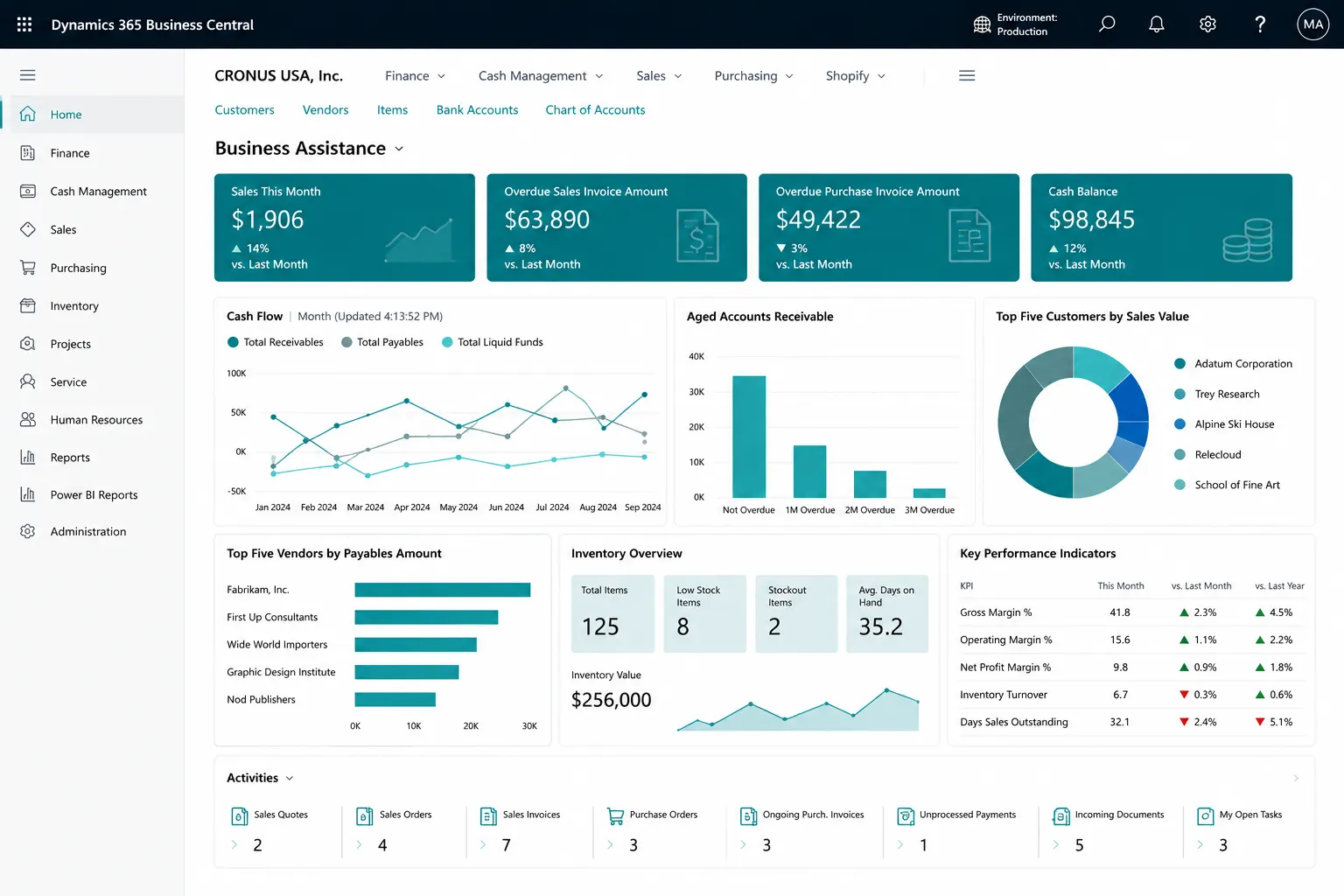
PROCESS & FIT
Business Central Pricing Should Start with User Roles and Scope
License price is only one part of the investment. Leaforge reviews who needs full process access, limited write access or read-only collaboration, then separates Microsoft subscription cost from implementation, migration, customization, integrations, training and support.
- Essentials
- Premium
- Team Members
Common Business Central Licensing and Budget Questions
Disconnected processes, manual workarounds and inconsistent data can make day-to-day control harder than it needs to be. These are common signs that the current process deserves a closer look.
Premium is selected without checking manufacturing/service requirements
Team Member rights are misunderstood
Microsoft 365 read-only access is confused with write access
Implementation cost is mixed with subscription price
Integration/device/external-user scenarios are not reviewed
What a Business Central Pricing Assessment Covers
Business Central can bring these activities into a more connected working environment. The exact configuration should reflect your processes, users, controls, reporting and integration needs.
Essentials
Premium
Team Members
Microsoft 365 read-only access in supported Teams scenarios
User-role mapping
Company/experience selection
Implementation scope estimate
Add-on/integration assessment
Training/support estimate
Business Central Base Plans
Current Microsoft US list prices checked 25 August 2026. Subscription pricing is separate from Leaforge implementation and services.
Essentials
$80user/month, paid yearly
plus applicable taxes
Premium
$110user/month, paid yearly
plus applicable taxes
Team Members
$8user/month, paid yearly
plus applicable taxes
Microsoft prices and licensing terms can change. Recheck current Microsoft pricing and the licensing guide before purchase or quotation. Premium includes Manufacturing and Service Management capabilities; Team Members provide limited access.
Licensing Rights Must Match the Actual User Activity
Role-based portals or interfaces should not be treated as a way to bypass Microsoft licensing. Essentials/Premium support full write scenarios, Team Members provide limited rights, and eligible Microsoft 365 licenses can provide read-only Business Central access through Teams in supported scenarios. Device/external/Power Platform scenarios require licensing review.
What You Should Understand Before You Budget
The goal is clearer day-to-day control, more consistent information and better visibility of the transactions and exceptions that matter to your team.
User-to-license map
Confirmed Premium need
Subscription estimate
Implementation scope
Migration/integration estimate
Training/support assumptions
Commercial exclusions
Current Microsoft pricing source
Current Microsoft US List Pricing (USD)
How the Standard License Options Compare
Business Central Essentials: $80/user/month paid yearly • Premium: $110/user/month paid yearly • Team Members: $8/user/month paid yearly • plus applicable taxes. Prices are informational and should be rechecked against Microsoft on the publication date.
Licensing Requirements to Review
Role-based portals or interfaces should not be treated as a way to bypass Microsoft licensing. Essentials/Premium support full write scenarios, Team Members provide limited rights, and eligible Microsoft 365 licenses can provide read-only Business Central access through Teams in supported scenarios. Device/external/Power Platform scenarios require licensing review.
Why Use Leaforge for a Pricing Assessment
Leaforge helps you map real user activities to the appropriate Business Central license options and separates Microsoft subscription cost from implementation, migration, integrations, training and support.
Frequently Asked Questions
Here are answers to common questions about Business Central pricing and licensing. The right approach can vary depending on your processes, data, licensing and integration requirements.
Does license pricing include implementation?
No. Microsoft subscription pricing is separate from implementation services such as discovery, configuration, migration, integrations, customization, training and support.
Essentials or Premium?
Essentials covers the common Business Central experience. Premium adds Manufacturing and Service Management. The right choice depends on the processes and functionality your users need.
What can Team Members do?
Team Members provide limited Business Central rights for specific read and light-use scenarios. They are not a replacement for Essentials or Premium users who need broader transaction processing.
Can Microsoft 365 users read Business Central data?
Eligible Microsoft 365 users can have read-only access to Business Central data through supported Teams experiences. This does not provide general Business Central write access.
Does every employee need a Business Central license?
Licensing depends on how each person accesses and uses Business Central. Users who create, update or process Business Central data directly or indirectly may require appropriate Dynamics 365 licensing, so the activity should be reviewed role by role.
What affects implementation cost?
Scope, companies, modules, data migration, integrations, custom development, reporting, user roles, testing, training and the implementation route all affect the service cost.
Are prices inclusive of taxes?
The Microsoft US list prices shown on this page are presented in USD. Applicable taxes and regional pricing should be confirmed when the commercial quote is prepared.
Can prices change?
Yes. Microsoft can change product pricing, licensing rules or commercial programs. Current pricing should be checked before a purchase or quotation is finalized.
How do add-ons/Power BI/Power Platform affect cost?
Additional Microsoft services, AppSource products, custom extensions and integrations can have separate subscription, implementation or support costs. These should be included in the total solution budget where required.
Get the Right Licenses and a Realistic Business Central Project Estimate
Share your user roles, companies, modules, data, reporting and integration requirements. We can prepare a license map and a separate implementation scope with current pricing assumptions.