

FINANCIAL MANAGEMENT
Financial Management in Business Central
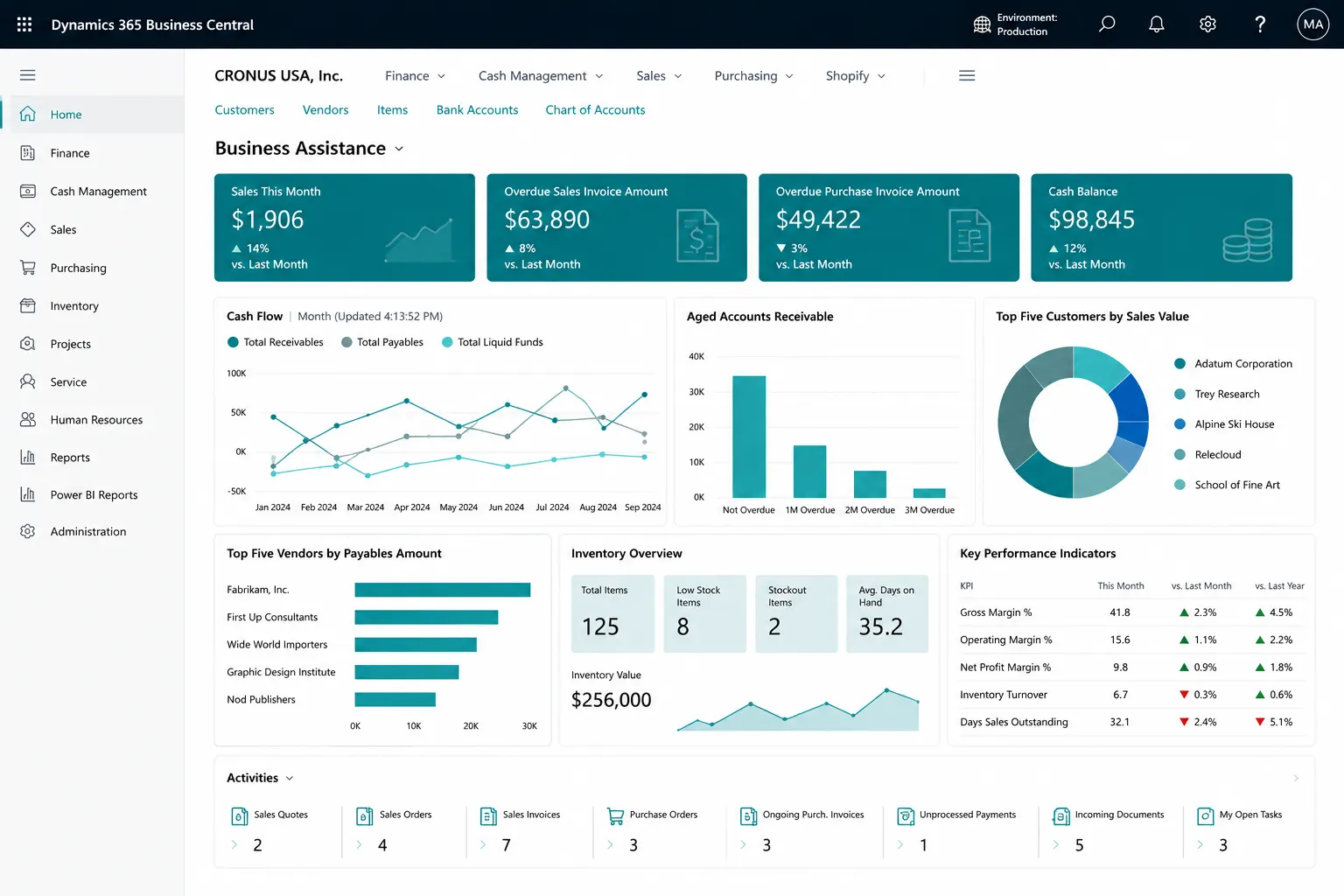
Connect accounting, dimensions, receivables, payables, banking, budgets, fixed assets and financial reporting in one controlled Business Central finance model.
PROCESS & FIT
Build Finance Around a Controlled Posting and Reporting Model
Start with chart of accounts, posting groups, dimensions, tax/localization, bank/payment processes, close procedures and reporting requirements before configuring automation or dashboards.
- General ledger & dimensions
- Receivables/payables
- Bank and payment processes
Finance Challenges Business Central Can Help You Address
Disconnected processes, manual workarounds and inconsistent data can make day-to-day control harder than it needs to be. These are common signs that the current process deserves a closer look.
Posting groups are poorly governed
Receivables and payables need manual reconciliation
Cash forecast inputs are fragmented
Budgets are offline
Fixed assets use separate records
Close/audit evidence is difficult to trace
What Business Central Financial Management Can Help You Manage
Business Central can bring these activities into a more connected working environment. The exact configuration should reflect your processes, users, controls, reporting and integration needs.
General ledger & dimensions
Receivables and payables
Bank and payment processes
Cash flow forecast
Budgets
Fixed assets
Financial reports
Analysis mode/Excel
Power BI finance reporting where licensed/configured
Finance Fit and Localization Matter
Country/local tax, statutory, e-invoicing, consolidation, payroll, expense, treasury or specialist compliance requirements may need localization, add-ons or integrations. Business Central finance design should be validated against the organization’s accounting and compliance requirements.
What Better Financial Control Can Look Like
The goal is clearer day-to-day control, more consistent information and better visibility of the transactions and exceptions that matter to your team.
Posting control
Dimension consistency
AR/AP aging
Cash/bank visibility
Budget vs actual
Fixed-asset records
Close/audit trail
Financial reporting
Finance Assessment Questions
Where Business Central Finance Can Fit Well
Chart of accounts • Dimensions • Companies/currencies • Tax/localization • AR/AP • Banking/payments • Fixed assets • Budgets • Close process • Reporting/consolidation.
Finance Requirements to Review
Country/local tax, statutory, e-invoicing, consolidation, payroll, expense, treasury or specialist compliance requirements may need localization, add-ons or integrations. Business Central finance design should be validated against the organization’s accounting and compliance requirements.
Why Leaforge for Business Central Finance
Leaforge helps you design Business Central finance around the way your organization posts, reports, closes periods, manages dimensions and controls receivables, payables, banking and budgets.
Frequently Asked Questions
Here are answers to common questions about Business Central finance. The right approach can vary depending on your processes, data, licensing and integration requirements.
Can Business Central manage dimensions?
Yes. Dimensions let you analyze entries by areas such as department, project, business unit or other management categories without expanding the chart of accounts unnecessarily.
Does it support budgets?
Yes. Business Central supports budgets and budget-versus-actual analysis. The design should align the chart of accounts, dimensions and responsibility structure used by your finance team.
Can it forecast cash flow?
Yes. Business Central includes cash-flow forecasting based on configured sources and assumptions. The quality of the forecast depends on the underlying receivables, payables, bank and forecast data.
Are fixed assets included?
Yes. Business Central includes fixed-asset records and accounting processes such as acquisition, depreciation and disposal, subject to the required local accounting and tax setup.
Can financial reports be customized?
Yes. Financial reports can be structured around your chart of accounts, dimensions and reporting requirements, and additional report layouts, Excel or Power BI can be used where needed.
Can Power BI use finance data?
Yes. Power BI can use Business Central data for richer financial and operational analysis. Licensing, security, refresh frequency and any cross-system data should be planned for the intended users.
How should multiple companies/currencies be assessed?
Review the number of legal entities, currencies, intercompany activity, localizations, reporting and consolidation requirements. The right design depends on how much process and reporting should be standardized across companies.
What finance data should be migrated?
Typical migration includes finance master data, opening balances and agreed open transactions. Historical-detail requirements should be confirmed during discovery instead of moving every old record by default.
Build a Stronger Business Central Finance Foundation
Share your chart, dimensions, close process, banking, budgets and reporting needs. We can help design a finance model that stays understandable and maintainable.